
Believe it or not, in the early 2000s, managing a website was a complex task that required advanced programming and design skills. However, with the advent of content management systems (CMS), this reality has changed. Today, businesses and professionals can manage websites without advanced programming skills.
But what is a CMS? Which ones are available and what do you need to consider when choosing the right one for your project? Whether it's a blog, a corporate website, or a robust e-commerce site, it's important to choose a content management system that offers flexibility, security, scalability, and a positive digital experience.
In this article, we explore the concept of CMS, the main types that exist, and conduct a comparative analysis of the most popular alternatives on the market. Stay with us!
What Is a CMS?
A CMS (Content Management System) is a platform that allows users to create, manage, and publish digital content without needing advanced programming skills. It provides an administrative interface where teams can manage pages, text, images, and other website components from a centralized dashboard.
From a technical standpoint, a CMS operates on a database-driven architecture. This means that content is stored in structured databases and dynamically retrieved whenever a user accesses a page. The system combines this stored content with templates and interface components to generate the final page displayed to visitors.
One of the core principles of a CMS is the separation between content and presentation. Content can be created, edited, and structured independently of the visual design of the website, while templates and themes determine how that information appears to users. This separation makes it easier to update layouts, reorganize pages, and distribute content across different digital interfaces without rebuilding the entire site.
Modern CMS platforms also include editorial workflow management, which allows multiple team members to participate in content creation with defined roles. Authors can create content, editors can review it, and administrators or managers can approve and publish it. This workflow structure is especially important for corporate websites, institutional portals, and platforms that manage large volumes of content.
Another common feature is content versioning. Many CMS platforms keep a record of changes made to pages and files, allowing teams to restore previous versions, track edits, and maintain better control over how content evolves over time.
By combining structured storage, editorial workflows, content versioning, and flexible design management, a CMS transforms website administration into a more organized, collaborative, and scalable process. In complex digital environments, it becomes more than just a publishing tool — it acts as the operational backbone of an organization's digital presence.
What Is a CMS Used For?
A CMS is used to organize, publish, and update digital content on a website in a structured and efficient way. It allows users to create pages, edit text, manage images and videos, and handle other digital assets from a centralized administrative interface.
In practice, a CMS simplifies the workflow for teams that need to update websites frequently. It brings together features such as content editing, media management, user permissions, editorial workflows, and integrations with external tools. As a result, organizations can manage their websites more efficiently without relying on constant manual code changes.
In more complex projects, the role of a CMS goes beyond basic publishing. It also supports content governance, editorial consistency, multi-channel content distribution, and integration with marketing, SEO, analytics, and automation tools. This makes the CMS a key component in managing and scaling an organization's digital presence.
According to Micaela L. Rossetti, Head of Marketing at Dexa, in more complex projects, the role of a CMS goes beyond content publishing. "It also supports content governance processes, such as editorial standardization and multi-channel content distribution, while enabling integration with marketing capabilities, including Technical and On-Page SEO, automation, and data analytics."
Types of CMS Platforms
Content management systems can be classified according to how they structure a website's technical architecture and how they distribute content across different digital interfaces. This distinction is closely related to the platform's architecture, the level of development flexibility it provides, and its ability to integrate with other systems.
Among the most common models are traditional (monolithic) CMS platforms, headless CMS platforms, and CMS platforms designed for e-commerce.
1. Traditional CMS (Monolithic)
In a traditional CMS, also known as a monolithic CMS, content management and the presentation layer of the website are part of the same technological structure. The system manages content and directly controls how it is displayed on the website interface.
This model typically relies on templating engines, which combine the data stored in the database with layout templates. When a page is accessed, the CMS retrieves the stored content and automatically inserts it into the predefined visual structure.
This architecture creates a strong connection between the content layer and the presentation layer. Changes to templates, layout, or display logic are usually handled directly within the CMS itself. This makes traditional CMS platforms easier to manage for standard websites and simplifies content updates within a single environment.
However, this approach can present limitations for omnichannel strategies, since the content is usually designed primarily for web interfaces. Delivering the same content to mobile apps, connected devices, or other digital interfaces often requires additional adaptations or integrations.
Examples of traditional CMS platforms:
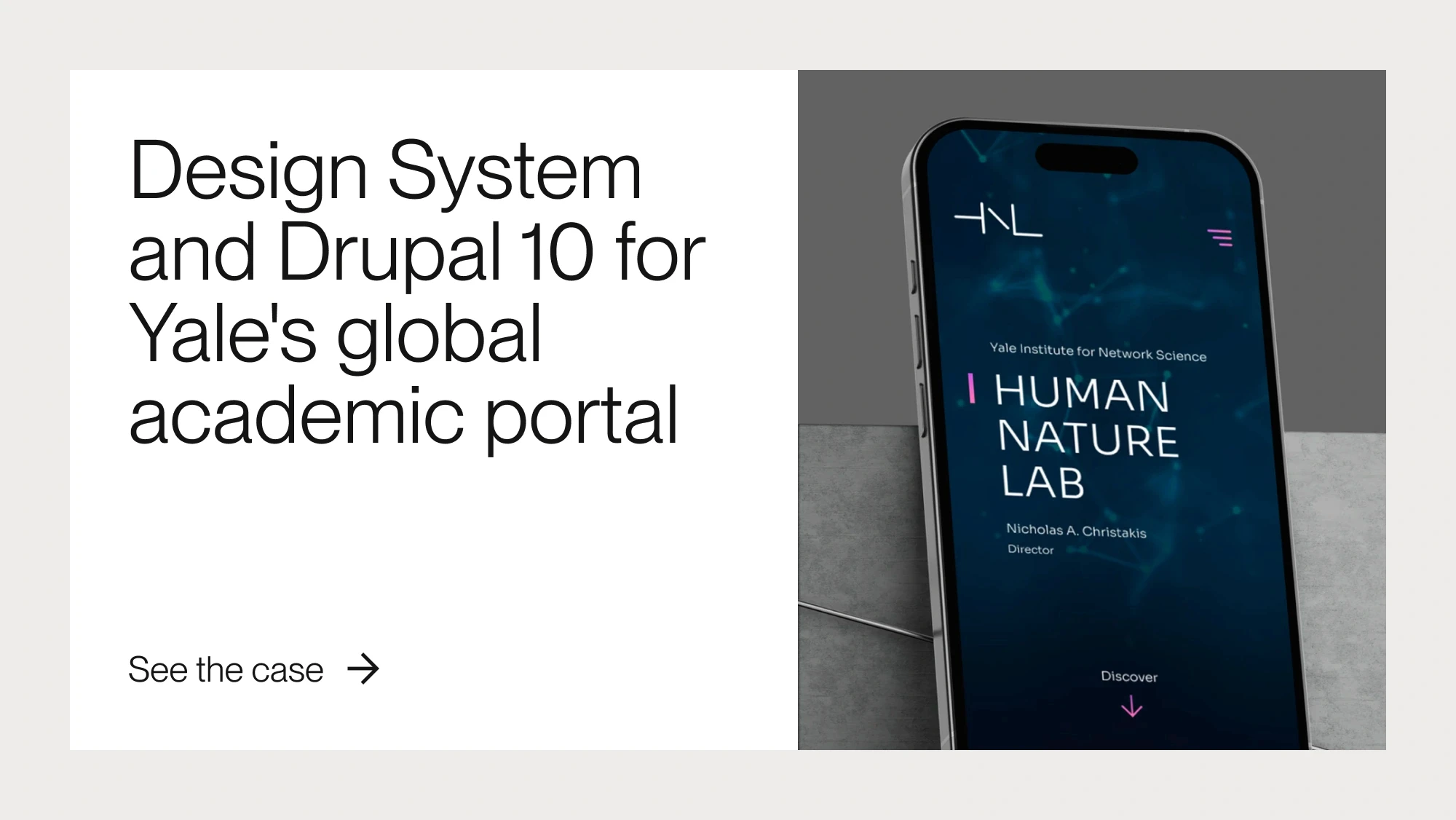
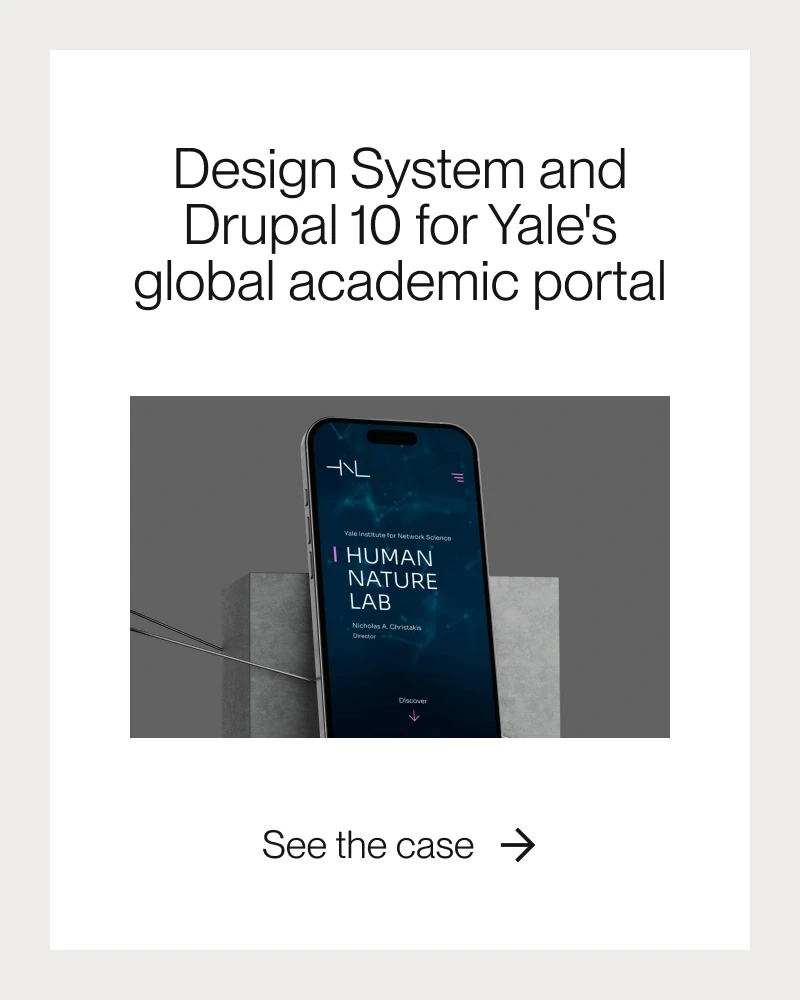
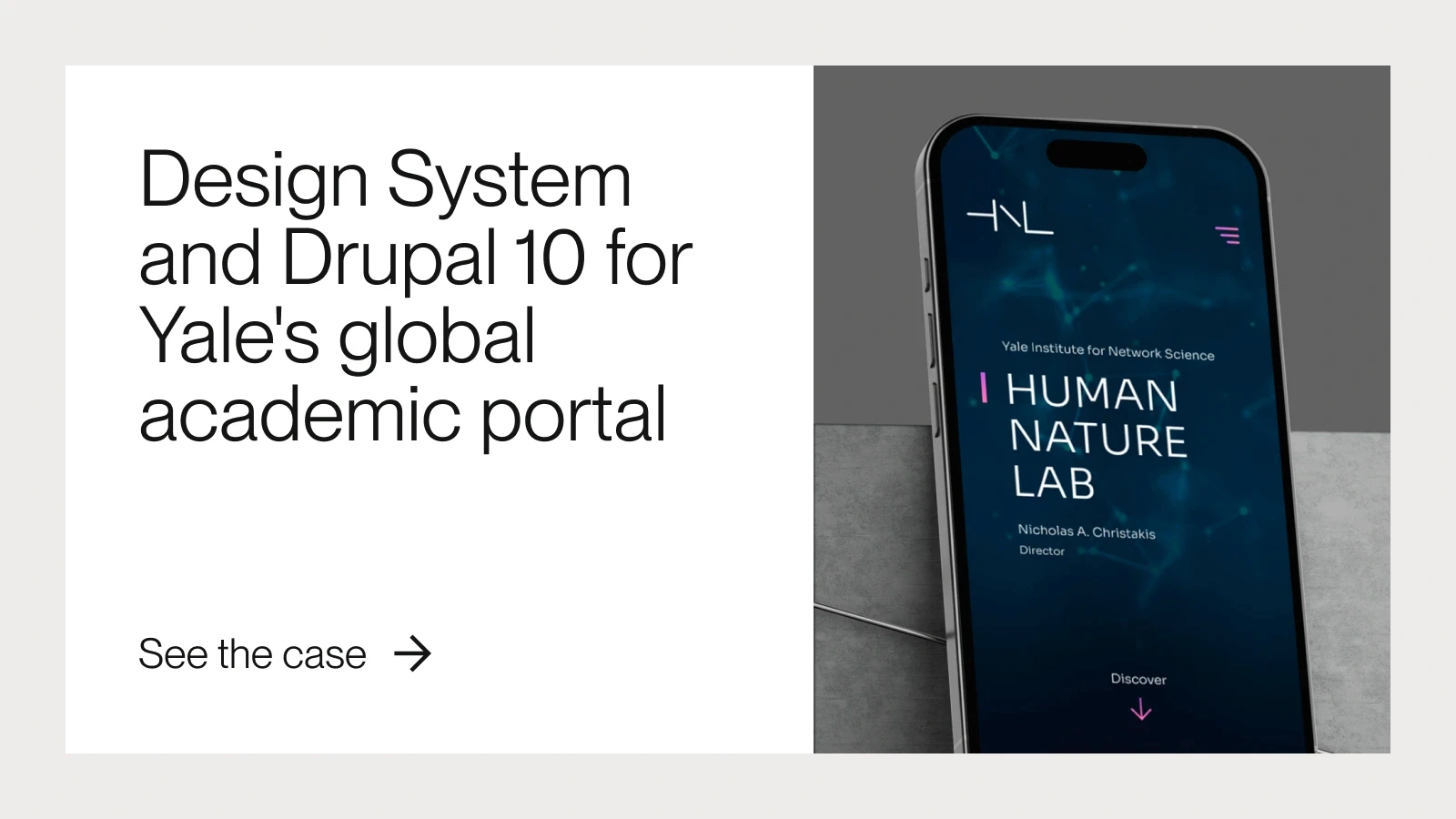
Drupal
A robust platform widely used for corporate and institutional projects, known for its high level of customization and advanced security features.
Joomla
Offers greater structural flexibility than simpler platforms but has a steeper learning curve.
WordPress
One of the most widely used CMS platforms due to its ease of use and extensive ecosystem of plugins and themes.
2. Headless CMS
A headless CMS uses a decoupled architecture. In this model, the system is responsible only for managing and storing content, while the presentation layer is developed separately.
Content is delivered through APIs, allowing it to be distributed to multiple digital interfaces such as websites, mobile applications, digital kiosks, e-commerce platforms, or connected devices.
This architecture gives development teams much greater flexibility, since the frontend can be built using any modern framework or technology. It also enables organizations to implement multi-channel content strategies, which are increasingly common in complex digital ecosystems.
Examples of headless CMS platforms:
Contentful
A SaaS platform designed to distribute content across multiple digital channels.
Strapi
An open-source CMS known for its flexibility and API-first approach.
3. CMS Platforms for E-commerce
Some CMS platforms are designed specifically for online stores, combining content management with the core functionalities required for digital commerce.
These platforms typically include features such as product catalogs, inventory management, shopping carts, payment processing, and shipping calculations, along with tools for organizing pages and managing content.
They provide a complete infrastructure for running an online store, combining the presentation layer of the website with the operational systems required for e-commerce.
Examples of e-commerce CMS platforms:
Adobe Commerce (Magento)
A powerful platform designed for large-scale e-commerce operations.
Shopify
A SaaS platform known for its ease of use and fast deployment.
PrestaShop
An open-source alternative widely used by small and medium-sized online stores.
Drupal
With specialized e-commerce modules, Drupal can be adapted for projects that require high flexibility and complex integrations.
You might also like these articles:
WCM, ECM, DAM and DXP: Understanding the Differences
Content management technologies are often grouped under different acronyms, each representing a specific solution designed to address distinct needs within digital management and enterprise content operations.
The CMS (Content Management System) is the most widely recognized foundation of this ecosystem. It allows organizations to create, edit, organize, and publish digital content across websites and online platforms. A CMS provides tools for structuring pages, managing media files, and controlling the information that forms the backbone of a website.
The WCM (Web Content Management) system is a specialized branch of CMS focused specifically on managing content for websites. In addition to standard publishing capabilities, WCM platforms typically include tools for organizing site architecture, managing editorial workflows, creating pages, and controlling the overall digital user experience.
The ECM (Enterprise Content Management) system operates at a broader organizational level. It extends beyond web content to manage corporate documents, business records, and internal information flows. ECM platforms help organizations structure, store, and control large volumes of documents and enterprise data while often integrating automation, compliance management, and governance processes.
The DAM (Digital Asset Management) system focuses on managing digital assets such as images, videos, audio files, documents, and design materials. These platforms organize assets in structured repositories, allowing teams to categorize files, manage versions, control usage rights, and distribute digital assets efficiently across multiple channels.
Finally, the DXP (Digital Experience Platform) represents an evolution of content management technologies. Rather than functioning solely as a publishing tool, a DXP acts as an integrated infrastructure for managing and personalizing digital experiences across multiple channels.
A typical DXP ecosystem combines several technological layers, including:
CMS, for content creation and management;
DAM, for managing digital assets;
CDP (Customer Data Platform), for collecting and analyzing user data;
Personalization engines, capable of adapting content based on user behavior;
Analytics tools, used to monitor performance, engagement, and digital experience outcomes.
By integrating these components, a digital experience platform enables organizations to connect content, data, and user behavior within a single technological architecture, creating more consistent, personalized, and data-driven digital experiences.
Key Features of a CMS
To understand the role of a CMS within a website's digital infrastructure, it is important to look at the core functionalities that support its operation. Content management systems are designed to organize the creation, management, and publication of digital content in a scalable way, allowing multiple teams to collaborate on maintaining and evolving a website or digital platform.
Below are some of the most important CMS features and capabilities.
Content Editor
The content editor is the interface used to create and modify pages, articles, and other website content. It provides tools for text formatting, link insertion, content block organization, and basic layout creation without requiring direct code editing.
Media Management
Most CMS platforms include media libraries that organize files such as images, videos, documents, and other digital assets used across the website. These assets can be stored, categorized, and reused across multiple pages, improving content management efficiency and maintaining visual consistency.
Editorial Workflow
Many CMS platforms offer structured editorial workflows, allowing different stages of content creation and publishing to be controlled. Authors can create content, editors can review it, and administrators or managers can approve and publish it. This workflow model is especially important for corporate websites, institutional portals, and platforms that handle large volumes of content.
User Permissions and Access Control
User management is another key feature of modern CMS platforms. Administrators can define different permission levels and roles, ensuring that each user has appropriate access to specific parts of the system. This helps protect content integrity and prevents unauthorized changes.
Content Versioning
Content versioning keeps a history of changes made to pages and files. This functionality allows teams to restore previous versions, track edits made by different users, and maintain a clear record of how content evolves over time.
SEO Tools
Many CMS platforms include built-in SEO tools that help optimize website content for search engines. These tools typically allow users to configure page titles, meta descriptions, URL structures, heading hierarchies, and other elements that help search engines understand and index website content more effectively.
Extensibility Through Plugins or Modules
One of the most powerful aspects of a CMS is its extensibility. Platforms often allow additional functionality to be added through plugins, modules, or extensions. These components enable integrations with marketing tools, analytics systems, e-commerce features, automation platforms, and other services without requiring development from scratch.
By combining these capabilities, a CMS acts as the central layer for managing digital content, organizing editorial production, maintaining operational control, and allowing a website to evolve in a structured and scalable way over time.
How to Choose a CMS?
Choosing the right CMS (Content Management System) depends on the specific needs of your project. First, you need to be clear about the purpose of the site you want to create: blogs, e-commerce, corporate portals, or institutional sites may all require different platforms.
For example, WordPress is a popular choice for blogs and institutional sites due to its ease of use and large number of plugins. Drupal, on the other hand, is more suitable for complex projects such as government or corporate sites that require greater customization and security. Large companies and institutions such as NASA and Harvard use this platform because of its ability to handle high-traffic environments and its flexibility for advanced enterprise integrations.
For e-commerce, Drupal is also a great alternative, and Magento and PrestaShop are also interesting options. Factors such as cost, scalability, technical support, and available extensions need to be considered to ensure that the CMS you choose will meet your needs in the long run.
In the table below, we've provided a comparison of the most popular CMSs on the market:
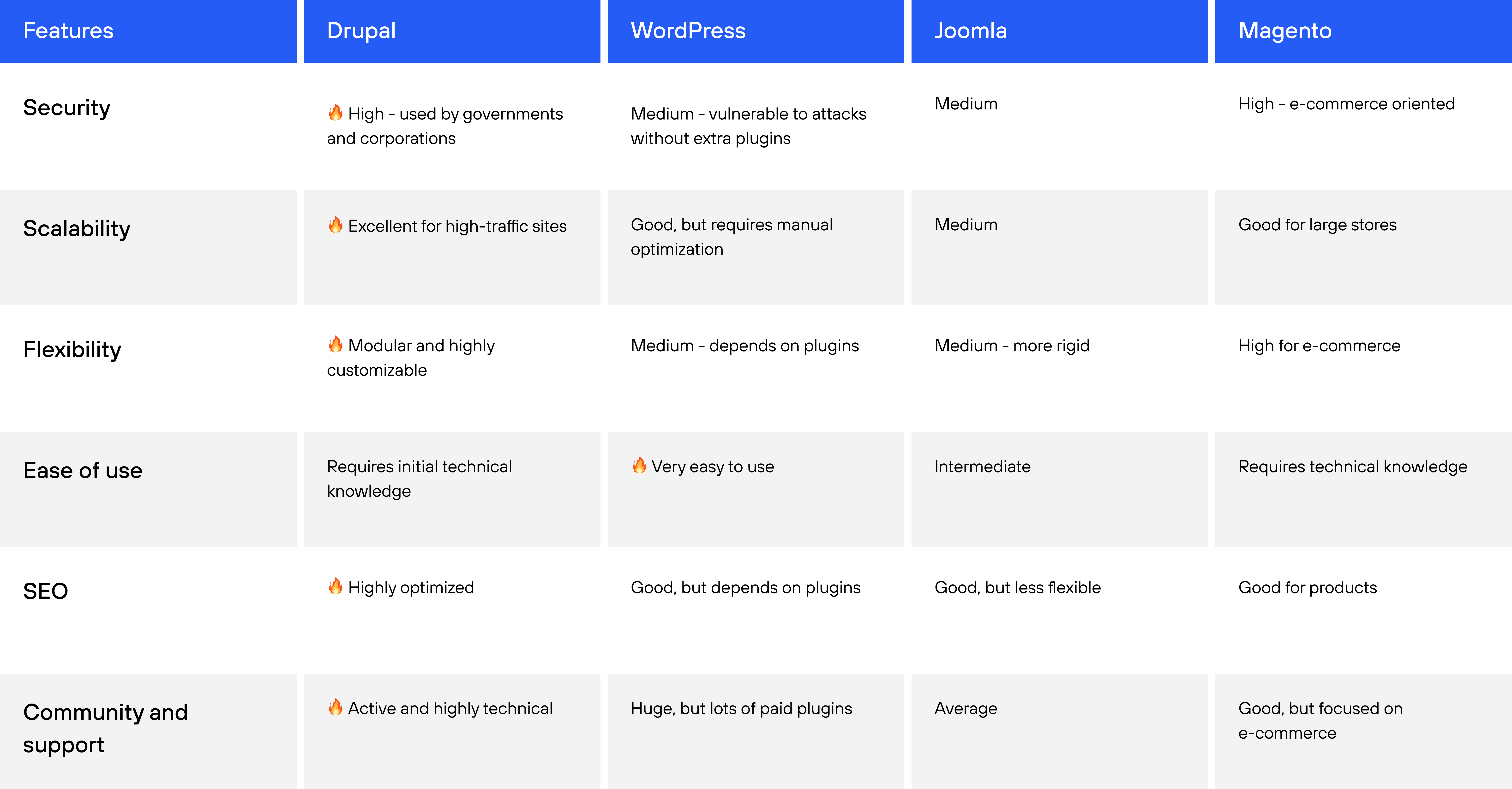
🔥Highlight in each category
How to Migrate a CMS and Choose the Best Hosting
Migrating a CMS can be complex, but it is an essential process for websites looking for better performance, security, or more advanced features. Whether it's changing hosting providers, upgrading to a new content management system, or adopting a more modern structure, migration requires careful planning to avoid data loss and downtime.
"Before starting the migration, it's essential to assess the complexity of the website, ensuring that all configurations, databases, and files are properly transferred. Additionally, choosing the right hosting can make a significant difference in the site's stability and performance after the transition," Micaela emphasizes.
Planning and backup: Before any move, make a full backup of the site, including the database, media files, and settings. This will ensure that no information is lost in the event of a problem.
Cross-platform compatibility: If you are migrating between two different CMSs, such as WordPress to Drupal, make sure your themes, plugins, and database can be properly adapted.
File and database transfer: Use appropriate tools to securely export and import content. Services like rsync, FTP, and SSH can facilitate this process.
Set up the new environment: Adjust permissions, configure the server, optimize the database, and implement security measures to ensure proper operation in the new environment.
URL Redirects and SEO Adjustments: To avoid traffic loss and negative search engine impact, implement 301 redirects and review URL structure.
Testing and monitoring: Before finalizing the migration, test all site functionality in a test environment and monitor performance after activation.
Choosing the Best Hosting for Your CMS
The choice of hosting depends on the needs of your CMS and the expected volume of traffic. Some options include:
Shared hosting: More affordable, but limited in performance and scalability.
VPS (Virtual Private Server): Offers more control and better performance than shared hosting.
Dedicated servers: Suitable for high-traffic sites and more demanding projects.
Cloud Hosting: Scalable and highly flexible, ideal for sites that require high availability.
For Drupal, we recommend specialized providers such as Pantheon, Acquia, and Cloudways, which offer advanced support, enhanced security, and optimized infrastructure. Evaluating factors such as performance, technical support, technological compatibility, and CDN integration is essential to ensuring the stability and speed of your site.
Advanced CMS Technology: Innovation in Content Management
Today, advanced CMS technology represents an evolution in the way companies, brands, and institutions interact with their audiences. Content management systems are moving beyond simple page creation and editing to include features that enhance personalization, automation, and omnichannel integration.
Modern platforms such as Drupal, Radiant CMS and Textpattern offer modular and flexible structures that make it possible to manage large amounts of data and adapt content to different contexts and devices. With the advent of headless CMSs, companies can now distribute information to multiple channels — websites, mobile apps, IoT devices, and virtual assistants — through efficient APIs.
Another important point in the evolution of CMSs is the application of artificial intelligence to content management. Advanced algorithms enable personalized recommendations of articles and products, automation of editorial tasks — such as automatic translation, SEO-optimized formatting — and predictive analysis of user behavior.
Security has also become a central pillar in advanced CMSs. Solutions such as Radiant CMS feature hardened architectures against cyber-attacks, multi-factor authentication, sophisticated access control, and compliance with regulations such as GDPR and LGPD. This ensures not only data integrity, but also the reliability that organizations need when dealing with sensitive information.
CMS Migration Checklist
Migrating a website to a new CMS is a strategic decision that can impact SEO performance, website speed, and overall digital operations. Before starting the migration process, it is important to review several key aspects to reduce risks and ensure a smooth transition.
10 Essential Steps Before Changing Your CMS Platform
✔ 1. Full Website Backup
Create a complete backup of your website, including the database, media files, templates, and server configurations. This ensures that no critical data is lost if something goes wrong during the migration.
✔ 2. Content Inventory
Map all existing pages, categories, files, and content structures on the current website. A detailed inventory helps ensure that no content is lost during the migration.
✔ 3. URL Mapping
Document all indexed URLs so that proper redirects can be implemented. This helps preserve search engine rankings and prevents the loss of organic traffic.
✔ 4. SEO Audit
Review page titles, meta descriptions, headings, and target keywords on your most important pages. Maintaining these elements is essential for protecting your SEO performance during the migration.
✔ 5. Integration Review
Identify integrations with systems such as CRM platforms, marketing automation tools, analytics solutions, payment gateways, and external APIs.
✔ 6. Data Structure and Taxonomies
Check how categories, tags, and content types will be migrated to the new CMS. Preserving the content structure helps maintain site organization and search engine visibility.
✔ 7. Media File Migration
Ensure that images, videos, and documents are transferred correctly and that their links and references remain intact.
✔ 8. User Roles and Permissions Review
Plan the migration or recreation of user accounts and permission levels in the new CMS environment.
✔ 9. Staging Environment Testing
Perform the migration in a staging environment before launching the new website. This allows teams to test functionality and resolve issues before the site goes live.
✔ 10. Post-Migration Monitoring
After the new website is launched, monitor key indicators such as:
Google indexation;
404 errors;
server performance;
traffic behavior.
These checks help ensure that the migration did not negatively impact website visibility or performance.
Also read: The Complete Guide to CMS Migration Without Losing Performance →
Count on Dexa for Your Project
Now that you know what a CMS is, it's clear that choosing an advanced platform is a technical and strategic decision. Companies that adopt modern CMSs gain in scalability, performance and user experience, turning content management into a competitive differentiator.
At Dexa, we specialize in Drupal, offering consultancy, development and support to ensure that your digital project stands out and brings real benefits to your business.


