
Digital experience is the set of perceptions formed through a person’s interactions with websites, applications, platforms, and other digital touchpoints. It begins before an action is completed and encompasses everything that shapes the journey: finding information, understanding an interface, navigating independently, receiving a prompt response from the system, and moving forward without unnecessary obstacles.
The quality of that experience, therefore, does not depend on any single element. Design, content, and technology must work together to meet user needs while supporting business objectives. A visually consistent interface may still present confusing journeys. A functional platform may exclude some users. An experience that works efficiently today may lose relevance if it cannot adapt to changing behaviors and needs.
From this perspective, the seven foundations of digital experience help guide decisions throughout a solution’s lifecycle. Rather than treating them as isolated best practices, they provide criteria for designing, evaluating, and evolving experiences based on how people actually interact with digital products.
At Dexa, these principles guide website, application, and other digital solution projects, from understanding user needs through post-launch evolution. Throughout this article, we will explore each foundation in depth, show how they relate to one another, identify signals that indicate experience issues, and explain what to observe when evaluating quality.
Build Digital Experiences That Evolve With Your Users
Dexa connects Experience Design, technology, and business strategy to create and evolve digital experiences based on real user needs.
What Is Digital Experience?
When interacting with a digital solution, users’ perceptions are shaped by both what they see and do and how the solution responds throughout the journey.
This means the experience extends beyond the interface. The content that guides a decision, navigation logic, response times, accessibility, continuity between steps, and the ability to complete an action all influence how a person perceives and uses a digital solution.
These perceptions may develop through a single interaction or across multiple moments. For example, a user might discover a company through a search, visit its website, review information, submit a request, and track its progress in another digital environment. Although each touchpoint serves a specific purpose, from the user’s perspective, they are part of an experience that needs to maintain clarity and continuity.
This broader scope also helps explain why digital experience, user experience, and customer experience are related but distinct concepts.
Digital Experience, UX, and CX: What Are the Differences?
Digital experience (DX), user experience (UX), and customer experience (CX) intersect at different points in the relationship between people, products, and companies. The main difference lies in the scope of each concept and the type of interaction being considered.
Concept | Primary focus | Example |
User experience (UX) | A person’s relationship with a product or service during use, including ease of use, efficiency, comprehension, and perception. | Finding a service and completing a request in an application without difficulty. |
Digital experience (DX) | The interactions and perceptions formed across different touchpoints mediated by digital technologies. | Researching a service, visiting a website, submitting a request through an application, and tracking its progress in a digital environment. |
Customer experience (CX) | The perception formed throughout the broader relationship with a company, including digital and non-digital interactions. | Going through the purchasing process, using digital channels, speaking with customer service, and receiving post-purchase support. |
In digital experience, the challenge is to make different interactions work as coherent parts of the same journey. Good UX in an application, for example, does not necessarily resolve a fragmented experience if the website provides conflicting information, digital customer service does not recognize the user’s history, or a step requires them to start the process over.
Distinguishing these concepts helps broaden the analysis: the quality of a digital experience cannot be evaluated solely through a product’s interface or the overall perception of a brand. It is necessary to observe how each digital interaction helps people move toward their goals with clarity, autonomy, and continuity.
What Makes a Good Digital Experience?
A solution may be available, load its pages, and allow users to complete a task without necessarily providing a good digital experience. The difference between functioning technically and working well for people lies in a series of decisions that determine how much effort is required to achieve the desired outcome.
Consider a form that accepts and submits data correctly but does not clearly indicate which fields are required. Or a website that provides all the necessary information but requires several steps to find it. In both cases, the functionality exists. The problem lies in the path users must take.
The quality users perceive also depends on the technical foundation supporting each interaction. In its article on Digital Experience in Practice and Its Impact on Conversion, Dexa explores requirements such as performance, stability, availability, and scalability in greater depth.
A good experience reduces this type of friction without taking control away from the user. This involves organizing information in a way that is easy to understand, making actions and responses predictable, supporting different ways of navigating, and considering the conditions in which people access and use each resource. The relationship between usability and accessibility is especially important: the W3C recommends addressing these aspects together during the development of websites and applications, as both affect people’s ability to use a solution effectively.
Experience quality, therefore, emerges from the combination of decisions that make a solution easier to use, broaden access, maintain consistency, and allow it to continue meeting people’s needs. The seven foundations provide a framework for structuring these decisions.
The 7 Foundations of Digital Experience
The following foundations are not steps that must be completed in a specific order. They serve as complementary criteria for guiding decisions and evaluating the quality of a digital experience over time.
What matters is how they relate to one another. A solution may be easy to use yet still present accessibility barriers, maintain visual consistency without responding to the context of use, or begin with a strong understanding of users and lose relevance as their needs change.
Each foundation can therefore be examined separately, but the analysis becomes more meaningful when we consider how they work together.

1. User-Centricity
User-centricity means making decisions based on an understanding of who uses a solution, what they need to accomplish, and which conditions influence their journey. This requires replacing assumptions about expected behavior with evidence of how people actually behave.
Research, interviews, usability testing, behavioral data analysis, and journey mapping help identify needs and difficulties. Methods such as Jobs to Be Done can also help explain what leads someone to seek a particular solution. The goal is to interpret this evidence and balance it with business objectives and constraints, prioritizing meaningful problems.
A sign of misalignment appears when a solution requires users to understand a company’s internal logic before they can use it. Categories organized by department, terminology known only to internal teams, or journeys designed around operational processes can make the experience more difficult. The structure should reflect how people understand and accomplish their tasks, without requiring them to first learn how the organization works.
2. Usability
Were users able to accomplish what they came to do? This is one of the most direct questions to ask when evaluating the usability of a digital experience.
The concept, however, goes beyond whether an action can be completed. ISO 9241-11 defines usability in terms of the extent to which specified users can achieve specified goals with effectiveness, efficiency, and satisfaction in a specified context of use. This makes it possible to assess not only whether a task was completed, but also the accuracy, effort, and quality of the experience involved.
In a digital solution, usability problems can appear in very concrete ways: unnecessary steps in a flow, information that is difficult to find, error messages that do not help users recover, actions whose outcomes are unclear, or interaction patterns that change without an understandable reason.
The effort required from users is an important indicator. If a simple task depends on repeated attempts, constant backtracking, memorizing information, or seeking external help, the solution may still allow completion, but it is transferring complexity to the person that should have been addressed through design.
Usability testing helps identify these issues by observing representative users performing specific tasks. In addition to revealing where difficulties arise, this type of evaluation can measure factors such as task completion, efficiency, and satisfaction, providing evidence to guide design improvements.
Usability should therefore not be treated as a characteristic that is validated only once before launch. Changes in content, functionality, journeys, and user behavior can introduce new friction, making usability evaluation part of the continuous evolution of digital experience.
3. Accessibility
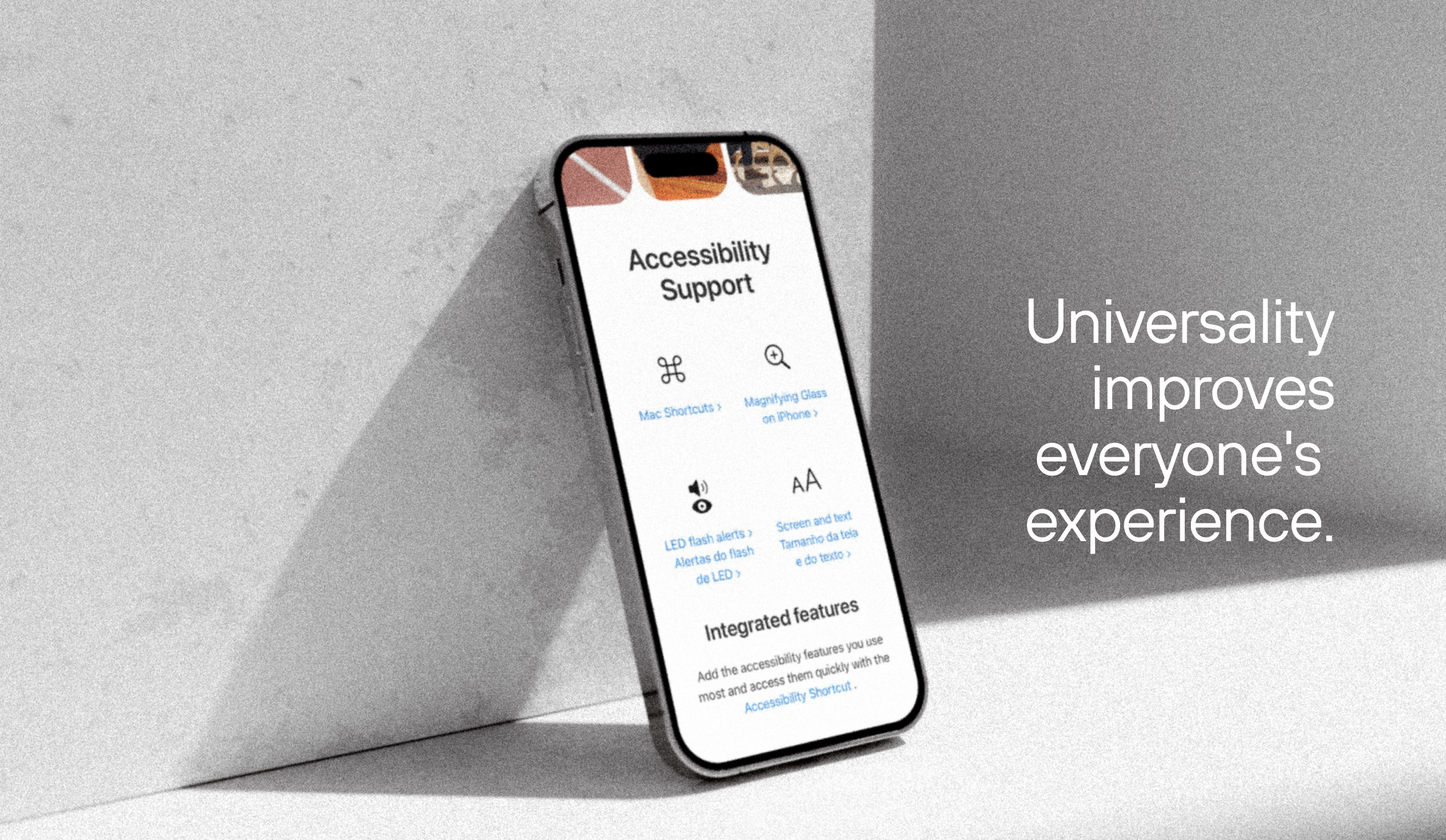
A digital experience cannot be considered effective if some people encounter barriers that prevent them from using it. Accessibility means creating conditions that allow users with different abilities and ways of interacting to perceive, understand, navigate, and operate a digital solution.
Accessibility should be considered from the earliest content and interface decisions through development and validation. Adequate contrast, text alternatives for non-text content, keyboard navigation, clearly identified fields and controls, captions for audiovisual content, and compatibility with assistive technologies are some of the elements involved.
The Web Content Accessibility Guidelines (WCAG) 2.2, developed by the W3C, provide an international reference for this work. The guidelines are organized around four principles: content must be perceivable, operable, understandable, and robust. Version 2.2 also expands criteria related to common situations in modern interfaces, including target size, dragging movements, focus during navigation, accessible authentication, and unnecessary repetition of information within the same process.
These criteria show why accessibility should not be reduced to visual adjustments. A flow that requires an exclusively precise dragging movement, for example, may prevent people with motor impairments from using it. Similarly, asking users to provide information they have already entered during a process can unnecessarily increase cognitive effort.
Designing an accessible experience means considering different ways of perceiving and operating a solution before those differences become barriers. When accessibility is addressed only during final validation, correcting issues may require changes across content, design, and development.
4. Consistency
Every time users learn how to navigate, interpret information, or perform an action, they build a reference they can use in future interactions. Consistency allows them to apply that learning, rather than having to rediscover how the experience works on every page, feature, or touchpoint.
This includes visual identity, typography, colors, and composition, but it does not end there. The same logic must extend to language, navigation patterns, and component behavior. If similar buttons perform different actions, the same feature is given different names, or familiar elements change position without a clear reason, the interface stops providing reliable references.
Consistency can also be considered in two directions. Internally, it maintains recognizable patterns within a product or across related solutions. Externally, it takes into account conventions people have already learned from other digital environments. The Nielsen Norman Group highlights that users arrive at an interface with expectations formed through other products, making familiar patterns important for reducing the need to learn new ones.
This does not mean making every experience identical or preventing design decisions tailored to a specific context. Consistency works when equivalent elements follow recognizable logic; differences are appropriate when they help communicate a change in function, priority, or context.
The key question, therefore, is not whether every screen looks the same. It is whether users can apply what they have learned in one part of the experience to understand the next.
5. Visual Hierarchy and Clarity
When everything receives the same emphasis, users must determine for themselves what deserves their attention first. Visual hierarchy establishes that priority and helps communicate what is most important, what supports the information, and which elements indicate the next steps.
Size, contrast, position, spacing, and grouping are some of the tools used to establish these relationships. The Nielsen Norman Group explains that clear visual hierarchy directs attention to elements according to their importance, helping people understand the structure of a page more easily.
Clarity, however, does not depend solely on visual treatment. Information itself needs a comprehensible hierarchy. Headings that anticipate the content, text organized into sections, objective labels, clearly named actions, and coherent relationships between content help users quickly identify where they are, what they can do, and which information is relevant to their goals.
On a service page, for example, the problem is not necessarily the amount of information, but the lack of clarity in how it is organized. If the value proposition, features, supporting information, and calls to action compete for the same attention, users are left to establish a priority that should have been defined through design.
Visual hierarchy and clarity therefore function as mechanisms for orientation. The goal is not simply to reduce elements or information, but to make the relationships between them perceptible so users can decide where to focus their attention and how to move forward.
6. Context and Personalization
Not all users arrive at a digital experience with the same goals, history, or needs. Considering context makes it possible to adapt information, functionality, and paths when those differences are relevant to the interaction.
Context may involve different factors, including the stage of the journey, location, device, interaction history, access role, stated preferences, or previous actions. In a platform, for example, users with different roles may need to see different features. On a website, someone who has already started a process may benefit from being able to continue where they left off.
Personalization uses this information to automatically adapt parts of the experience. It may prioritize content, recommend actions, retrieve previously provided data, or simplify certain paths. Customization, by contrast, gives users some of that control, allowing them to choose preferences or configure aspects of the interface according to their needs.
Neither approach replaces a well-structured experience. The Nielsen Norman Group cautions that personalization and customization should enhance an already usable foundation, rather than serve as solutions to navigation, content, or excessive complexity problems.
It is also necessary to evaluate whether the adaptation actually helps. A recommendation based on behavior that no longer reflects a user’s interests, an interface that changes without making the reason clear, or overly specific personalization can have the opposite effect and make the experience less predictable.
The value of personalization lies not in the amount of information used to differentiate the experience, but in the relevance of the adaptation to that context. If a change does not improve comprehension, reduce effort, or help users move forward, personalization adds complexity without necessarily adding value.
7. Continuous Evolution
Launch does not mark the end of work on a digital experience. Real-world use reveals new behaviors, allows hypotheses to be tested against evidence, and brings previously unforeseen needs into focus.
Continuous evolution is a solution’s ability to keep learning from these interactions and respond to change without losing sight of user needs and business objectives. This requires mechanisms for observing what happens after an experience goes live and turning that information into decisions about its evolution.
Behavioral data can reveal where users abandon a journey, which features they use, how they navigate, and where unexpected patterns emerge. Research, interviews, usability testing, and feedback help explain the reasons behind those behaviors. Combining this evidence makes it possible to distinguish an isolated issue from a need that warrants changing the experience.
Evolution does not have to happen through major redesigns. Smaller changes that are tested and evaluated continuously make it possible to learn before extending a decision across the entire experience. An iterative approach also reduces dependence on lengthy cycles in which multiple problems accumulate until a larger transformation becomes unavoidable.
Evolving, however, does not mean constantly changing the solution. Each change should respond to an identified hypothesis or need and have criteria for evaluating its effect. Depending on the objective, these may include behavioral and task-completion indicators, user perceptions, or business-related outcomes.
The value of continuous evolution lies in this ability to learn, decide, and adjust. A digital experience does not remain relevant because it changes all the time, but because it can identify when change is needed and use evidence to guide that decision.
Why Do the Foundations of Digital Experience Need to Work Together?
Examining the seven foundations separately helps clarify the role of each one, but users experience the combined result of these decisions. A consistent interface may repeat inefficient patterns; relevant personalization may make navigation unpredictable; and a journey that is easy to complete may still present accessibility barriers.
There are also dependencies between the foundations. User-centricity requires considering different people and contexts of use, while visual hierarchy and consistency work together to reduce the effort needed to understand information and move through an experience.
The foundations therefore do not function as a checklist. The quality of a digital experience depends on how they are balanced to meet user needs and the objectives of the solution. When a problem arises, this integrated perspective also helps identify which decisions are causing friction before determining what needs to change.
How to Measure Digital Experience Quality
No single metric can determine whether a digital experience is good or bad. Evaluation becomes more reliable when it combines signals about what people do, how they perceive the interaction, and the outcomes the experience produces.
Dimension | What to observe |
Behavior | Task completion and abandonment, navigation paths, errors, and feature usage. |
Perception | Satisfaction, perceived ease of use, feedback, and difficulties reported by users. |
Interaction | Time and effort required to complete tasks, accessibility, and the solution’s responsiveness during use. |
Business | Conversion, lead generation, adoption, retention, or other indicators related to the experience’s objectives. |
Analytics, usability testing, surveys, and feedback help gather this evidence. What matters most is interpreting it together and in relation to the solution’s objectives: an abandonment rate, for example, shows that users have left a journey, but investigating their behavior and context helps explain why.
Measurement becomes valuable when it informs decisions. Rather than simply tracking indicators, evaluating an experience means turning usage signals into hypotheses about what can be improved and verifying the effects of the changes made.
Turn Digital Experience Insights Into Better Decisions
Dexa combines user understanding, design, and technology to identify friction and guide the evolution of websites, applications, and digital platforms.
How to Evaluate Your Company’s Digital Experience
An initial evaluation can begin with simple questions about the user journey:
Can users find what they are looking for? Are important information and features accessible and organized according to their needs?
Do they understand how to move forward? Do content, hierarchy, and interaction patterns make the next actions clear?
Can they complete their tasks? Are there steps, errors, or barriers that increase effort or prevent some users from achieving the desired outcome?
Does the experience remain coherent throughout the journey? Do transitions between pages, features, or touchpoints preserve important references?
Does the company know where the problems are? Are there data, research, and feedback mechanisms capable of guiding improvement decisions?
Negative or unclear answers do not necessarily indicate that the entire experience needs to be rebuilt. They help identify areas that warrant investigation and determine where more in-depth research, testing, and analysis can provide evidence for the next decision.
Digital Experience Is Built Through an Integrated Approach
The seven foundations show that experience quality does not depend on any single decision. Understanding users, usability, accessibility, consistency, clarity, context, and the ability to evolve must guide the solution together, supported by evidence to identify friction and define priorities.
At Dexa, Experience Design connects these dimensions to business strategy to create and evolve websites, applications, and digital platforms.
Frequently Asked Questions About Digital Experience
Does Digital Experience Need to Be the Same Across Every Channel?
How Often Should a Digital Experience Be Evaluated?
Can Digital Experience Be Improved Without a Complete Redesign?


